
NextJS Material Kit
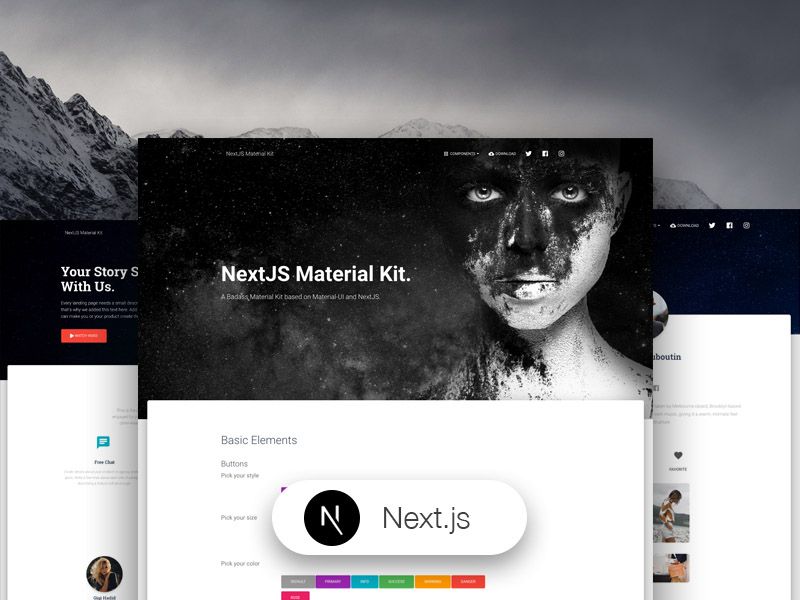
Free Nextjs Material-UI Kit
Powered By



Engineered System Deliverables
60
Fully documented React 19 and Tailwind v4 primitives optimized for sub-millisecond interaction feedback, accessible keyboard navigation, and responsive density scaling.
3
Bespoke data utilities, analytical hooks, and schema integrations with zero bundle overhead.
3
End-to-end production user journeys including auth, dashboard grids, billing states, and catalog views.
Zero-Latency Architecture Standard
Next.js 16 React Server Components with fine-grained caching, Prisma transaction isolation, and 100/100 Core Web Vitals.
Detailed Technical Specifications
NextJS Material Kit is a Free Material Design Kit made for NextJS, React and Material-UI.
If you like bright and fresh colors, you will love this Free Material Design Kit! It features a huge number of components that can help you create amazing websites.
Getting Started
Install NodeJs from NodeJs Official Page
Go to creative tim website and login into your account
Go to NextJS Material Kit and press the download button (this will download onto your computer a zip file)
Unzip the downloaded file to a folder in your computer
Open Terminal
Go to your file project (where you've unzipped the product)
Run in terminal npm install
Then run npm run dev
Alternatively, if you use a Linux based OS, you can run npm run install:clean which will delete node_modules/, package-lock.json, .next/, automatically run install script and run dev script
Navigate to http://localhost:3000
More information → React
More information → NextJS
More information → Material-UI
More information → Material Kit React
Fully Coded Components
NextJS Material Kit is built with over 100 individual frontend elements, giving you the freedom of choosing and combining. All components can take variations in colour, that you can easily modify using SASS and JSS (inside JS files) files and classes.
You will save a lot of time going from prototyping to full-functional code, because all elements are implemented. This Free Material Design Kit is coming with prebuilt examples, so the development process is seamless, switching from our pages to the real website is very easy to be done.
Every element has multiple states for colors, styles, hover, focus, that you can easily access and use.
View all components here.
COMPLEX DOCUMENTATION
Each element is well presented in a very complex documentation. You can read more about the idea behind this design system here. You can check the components here and the typography elements here.
Example Pages
If you want to get inspiration or just show something directly to your clients, you can jump start your development with our pre-built example pages. You will be able to quickly set up the basic structure for your web project.
View example pages here.
HELPFUL LINKS
- View Github Repository
- Check FAQ Page
- Nepcha Analytics - Analytics tool for your website